WiggleWiggleTool
WiggleWiggleTool Quick Manual
How to Run
1. Run WiggleWiggleTool.exe.
2. Draw your artwork, then use Save As to export PNG, GIF, or WebP files.
3. To export WebP, keep cwebp.exe and img2webp.exe in the same folder as WiggleWiggleTool.exe.
Main Tools
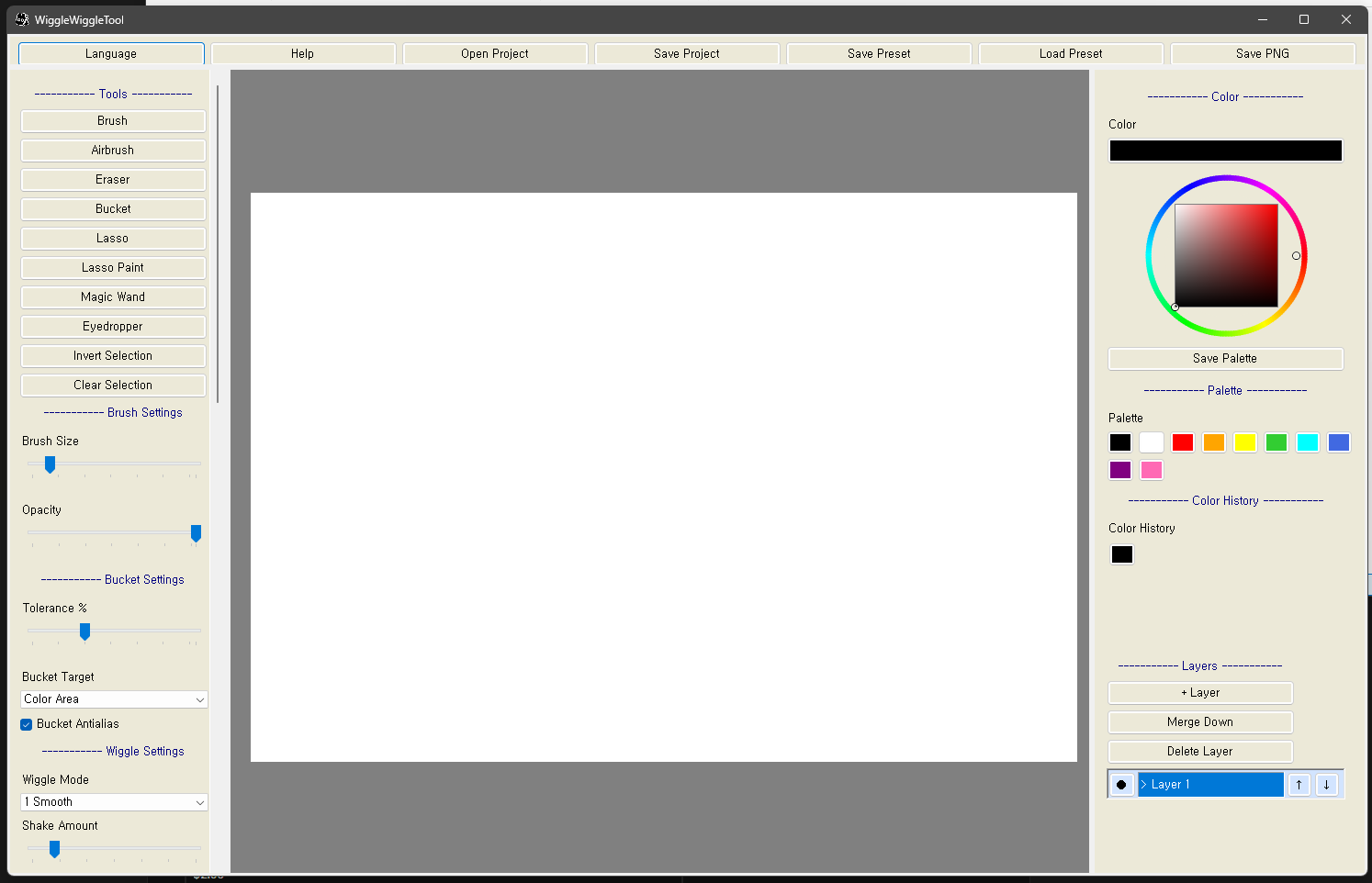
- Brush: draws a normal wiggling line.
- Airbrush: draws a softer airbrush-style line.
- Eraser: erases artwork on the currently selected layer.
- Bucket: fills a similar color area or the active layer's brush area.
- Lasso: selects the area you drag around.
- Lasso Paint: paints the area you drag around.
- Magic Wand: selects a similar area from the clicked point.
- Eyedropper: picks a color from the canvas.
Common Controls
- Mouse wheel: zoom canvas in or out
- Reset Zoom: return to 100% zoom
- Space + drag: pan the canvas
- Ctrl+Z: undo
- Ctrl+Alt+Z: redo
- Ctrl+T: move and resize the selected layer or inserted image
- Alt: eyedropper
- L: switch language
- [ / ]: decrease or increase brush size
Wiggle Settings
- Shake Amount: how far the line wiggles.
- Shake Speed: how fast the line moves.
- Shake Detail: how detailed the line wobble is.
- Broken Line: makes lines look broken or segmented.
- Wiggle Eraser: makes erased areas move with the wiggle effect.
Saving and Projects
- Save Project: saves an editable .wawa project file.
- Open Project: opens a .wawa project file.
- Save As: exports PNG, GIF, or WebP.
- During export, you can choose transparent background or current background color.
Settings
- settings/settings.ini stores shortcuts, language, and tool settings.
- Settings are kept after closing and reopening the program.
- Reset Settings restores tool settings and shortcuts to default values.
- Reset Settings does not delete artwork or layers.
Language Patch
1. Open the settings/lang folder.
2. Open ko.ini or en.ini in Notepad.
3. Keep the key on the left side of = unchanged, and edit only the text on the right side.
Example:
Brush=Brush
Eraser=Eraser
Note:
- If you rename the left-side key such as Brush, the program may not find that text.
- If a language file is deleted, the program creates a default file again.
Contact
Download
Click download now to get access to the following files:
Comments
Log in with itch.io to leave a comment.
If you find a bug, please send us a message via the contact form or leave a comment here!